FC 26 Coins - How does it work?ReviewsSHOP FC 26FBPontosAwards
Buy coins
Home/Blog/How to Make Evolutions in Ultimate Team EA FC 26

How to Make Evolutions in Ultimate Team EA FC 26

Evolutions are a system that allows you to improve player cards you already own by adding attributes, PlayStyles, or extra functions permanently. For example...

11/06/2025·By Rafael
Image of the article How to Make Evolutions in Ultimate Team EA FC 26 on the FutBuyNow blog about EA Sports FC 26

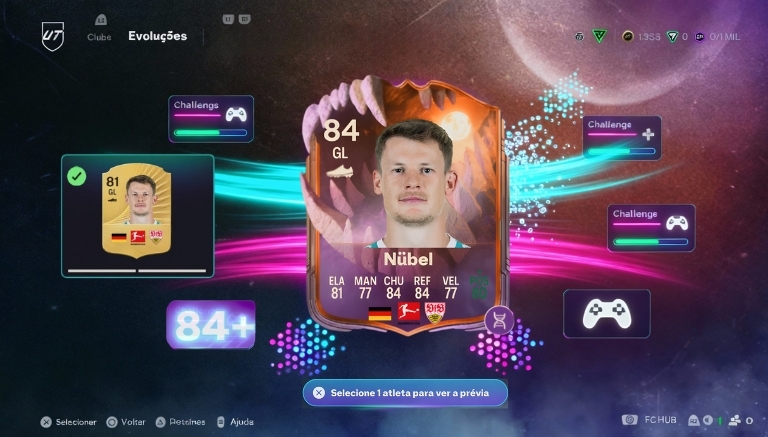
Evolutions are a system that allows you to improve player cards you already own by adding attributes, PlayStyles, or extra functions permanently. For example, you can submit a player to a standard Evolution slot and, by completing the objectives, secure permanent upgrades for that player.
Additionally, there is the "Training Camp Evolutions" type that works differently: you "submit" the player to evolve passively over a defined period, and at the end of that period, you redeem the upgrades.
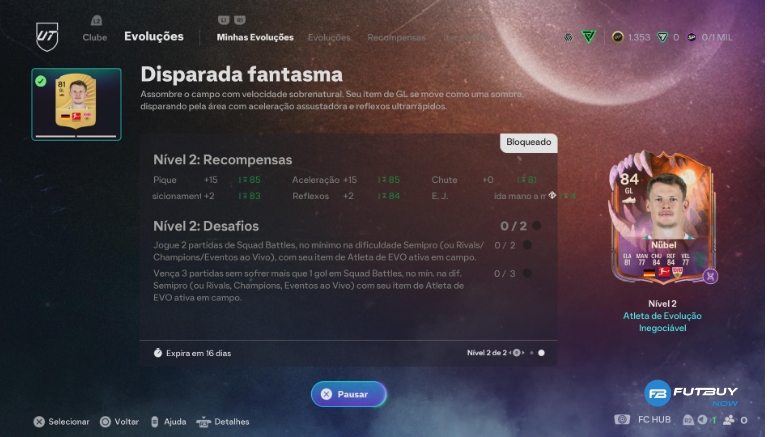
Image of the article How to Make Evolutions in Ultimate Team EA FC 26 on the FutBuyNow blog about EA Sports FC 26

2. How to Start a Standard Evolution

Here’s the step-by-step guide for standard evolutions:

  1. Open Ultimate Team mode and go to your Club.

  2. Inside the club, navigate to the Evolutions tab.

  3. In the “My Evolutions” tab, choose which Evolution slot you want to activate. You can activate the slot, view the requirements, and submit an eligible player.

  4. In “Available Evolutions,” check the requirements: minimum rating (Overall), position, rarity, cost in coins or FC Points, etc.

  5. After submitting the player to the slot, they become untradeable (cannot be sold or traded) for that standard evolution.

  6. Complete the defined objectives for that slot (e.g., play x matches, use the active player, score goals, etc.). After fulfilling them, claim the upgrade.

  7. Pay attention to the completion deadline: some slots have a time limit for activation and/or for completing the objectives. If the time runs out, you will only receive the upgrades corresponding to the level completed.
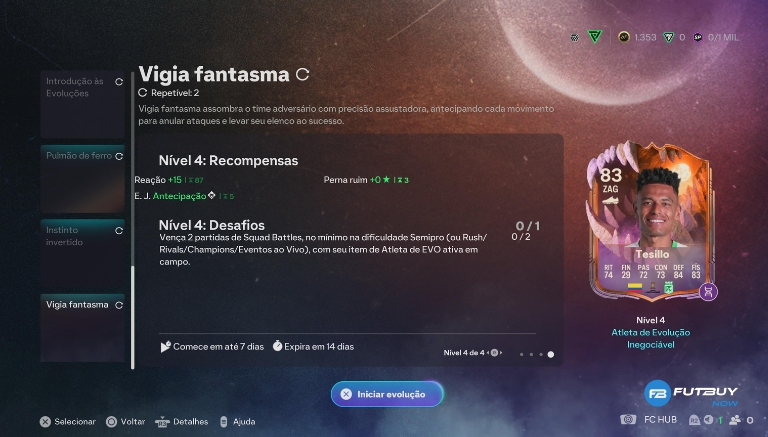
Image of the article How to Make Evolutions in Ultimate Team EA FC 26 on the FutBuyNow blog about EA Sports FC 26

3. How Training Camp Evolutions Work

This type of evolution works like this: you send the player to a "training camp" for a period that can range from a few hours to over 30 days. While in training, the player cannot be used normally (or is unavailable for competitive use). After the time is up, you redeem the bonuses/roles or upgrades.
You can cancel this training, but typically you do not receive the upgrades if you cancel and may also not be able to repeat the same slot with another player.
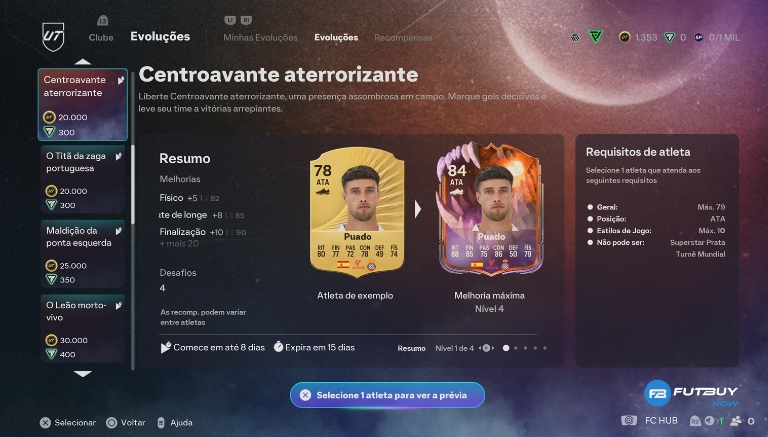
Image of the article How to Make Evolutions in Ultimate Team EA FC 26 on the FutBuyNow blog about EA Sports FC 26

4. Tips for Choosing Wisely and “Evolving Well”

  • Always check the requirements before submitting a player: minimum rating, position, rarity, cost, etc. Avoid “wasting” a good player on an evolution you cannot complete.

  • Plan evolution chains (“Evo Chains”): first use an evolution that increases the OVR or basic attributes, then another that adds PlayStyle or specific function. This way, you maximize the player.

  • Remember that after evolving a player, they may become immutable for that slot; for example, you will not be able to remove or trade a player submitted in a standard Evolution.

  • Check the cost in coins or FC Points — some evolutions are free, while others require investment.

  • Use players that you will actually use in your team, as evolving “just for the sake of evolving” can cost resources that could be better applied.

Share

X (Twitter)FacebookWhatsApp

Discover FutBuyNow

Platform specialized in EA Sports FC with secure and automatic methods.

Buy FC 26 Coins

Frequently Asked Questions about EA Sports FC 26

What are coins in EA Sports FC 26?

Coins are the virtual currency of EA Sports FC 26, used to buy players and items in the Transfer Market of Ultimate Team. With more coins, you can build stronger teams, complete high-level SBCs, and compete better in ranked modes.

How to buy FC 26 coins safely?

FutBuyNow offers the safest way to buy FC 26 coins: automatic delivery via the Transfer Market, without the need to share your password, and no risk of ban. The process is 100% automatic and takes less than 5 minutes in most cases. Over 900 positive reviews on Trustpilot confirm our security.

How long does it take to receive FC 26 coins?

Delivery is automatic and occurs in less than 5 minutes after payment confirmation. You place a low-value player on the Transfer Market, and our platform sends the coins immediately. Available for PS4, PS5, Xbox One, Xbox Series X|S, and PC.

Does buying coins on FutBuyNow carry a risk of ban?

No. FutBuyNow has been operating for over 3 years without any confirmed cases of banning. Our method uses the Transfer Market — the same official channel of the game — with limits and standards that protect your account. It is the safest method available on the market.

For which platforms does FutBuyNow deliver coins?

FutBuyNow delivers FC 26 coins for PlayStation 4 (PS4), PlayStation 5 (PS5), Xbox One, Xbox Series X|S, and PC (EA App). Just select your platform in the store and follow the automatic delivery process.

FutBuyNow is the ideal portal for FC 26 players looking to buy FIFA Coins securely and quickly. We offer automatic delivery, risk-free, as well as personalized training and boosters to enhance your performance in the game.

Links

Buy coinsCustomer ReviewsFC 26Terms and conditions of usePrivacy PolicyBlogShop FC 26About UsSell FC 26 coinsBuy FC 26 account
We accept payment via
PayPal
©2026 Futbuynow. all rights reserved - CNPJ: 18.868.053/0001-94