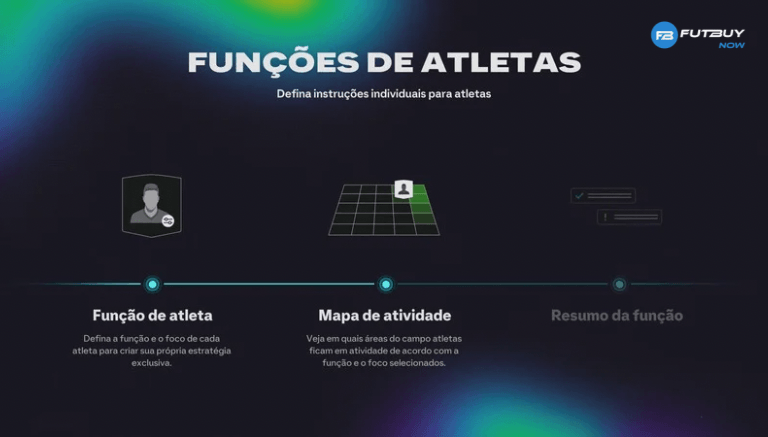
In EA FC 26 Ultimate Team, many players spend hours building squads, adjusting tactics, and testing formations. But one of the most important — and often overlooked — features are the Player Functions, also known as individual instructions. They shape each player's behaviour on the pitch, influencing their movement, positioning, and decision-making. Therefore, understanding what Player Functions are and how to apply them correctly is essential for anyone looking to improve their team's performance and make players perform better in Ultimate Team.
Next, you will understand exactly what these instructions are, how they work, and how to use each type of function to elevate your team's level in EA FC 26.
What Are Player Functions?
Simply put, Ultimate Team Player Functions are individual settings applied to each player on your team. They determine how a player should act in offensive and defensive situations, functioning as a "behaviour manual" for the AI. For this reason, they are also known as FC 26 individual functions, FC 26 offensive instructions, and FC 26 defensive instructions.
These functions directly affect:
Movement with and without the ball
Defensive aggression
Attack depth
Positioning in transitions
Decision-making in specific plays
In other words, by setting the EA FC 26 player instructions, you are specifying exactly how that athlete should behave within your tactical proposal.
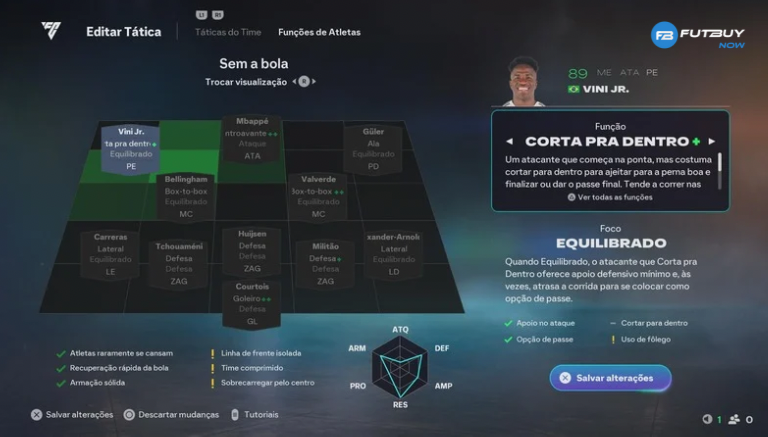
Why Do Functions Increase Player Performance?
Player Functions have an immediate impact on performance because they correct standard AI behaviours that do not always align with the player's style on the pitch. Here are the main reasons:
1. Adjust Movement to the Player's Ideal Style
If you have a fast winger, it makes sense to instruct them to make runs in behind. A more technical midfielder should receive short and participate in build-up play. The right function ensures the player makes the most of their attributes.
2. Correct Poor AI Movements
Often, a player may drop too deep, spread too little on the flanks, or invade the box at the wrong time. Functions allow you to correct this, enabling them to move more logically according to your team's style.
3. Increase Offensive Effectiveness
Want a full-back to push past the halfway line and assist in attack? Or do you want them to stay back to protect against counterattacks? With offensive instructions, you control everything.
4. Enhance Defensive Security
Poorly positioned players concede dangerous spaces. Defensive instructions allow you to organise your line, request cover, apply pressure, or play conservatively. This directly improves how players perform better in Ultimate Team.
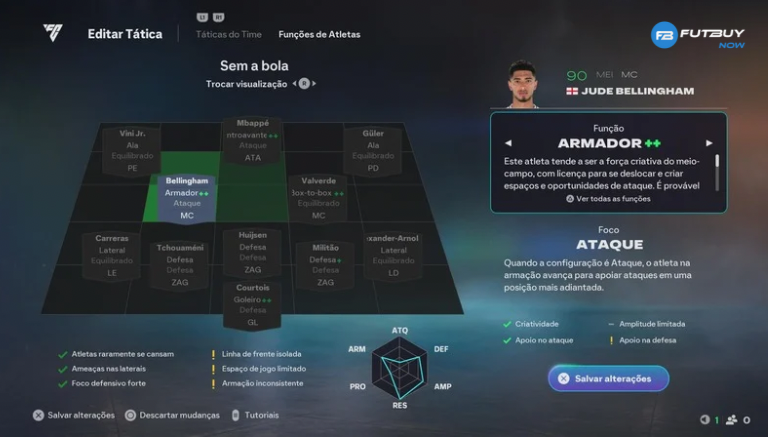
Which Functions to Use for Each Position?
Next, a practical and simple guide to setting up the main positions in Ultimate Team in EA FC 26.
1. Forwards (ST / CF)
Runs in Behind: ideal for fast players.
False 9: good for technical forwards who drop back to create plays.
Hold Position: great if you want more presence in the box.
Objective: increase finishing, offensive presence, and space creation.
2. Wingers (RW / LW)
Cut Inside: perfect for left-footed players on the right and right-footed players on the left.
Stay Wide: to keep the pitch open and break down tight defences.
Make Runs in Behind: speeds up counterattacks and exploits pace.
Objective: create opportunities and expand the offensive field.
3. Midfielders (CM / CAM / CDM)
Get Into the Box (CAM): more offensive support.
Stay Back While Attacking (CDM): better defensive security.
Cover Centre: essential for maintaining compactness.
Balanced Support: good for those who want versatility.
Objective: control the pace of the game and strengthen the midfield.
4. Full-Backs (RB / LB)
Support Attack: good for offensive teams that want width.
Stay Back While Attacking: ideal against fast opponents.
Conservative Interceptions: more security.
Constant Overlaps: increases crossing options and depth.
Objective: balance defence and lateral support according to your playing style.
5. Centre-Backs (CB)
Conservative Interceptions: reduce defensive errors.
Always Stay Back: a basic rule to maintain the line.
Strong Marking: for those who press high.
Objective: maintain solidity and prevent defensive gaps.
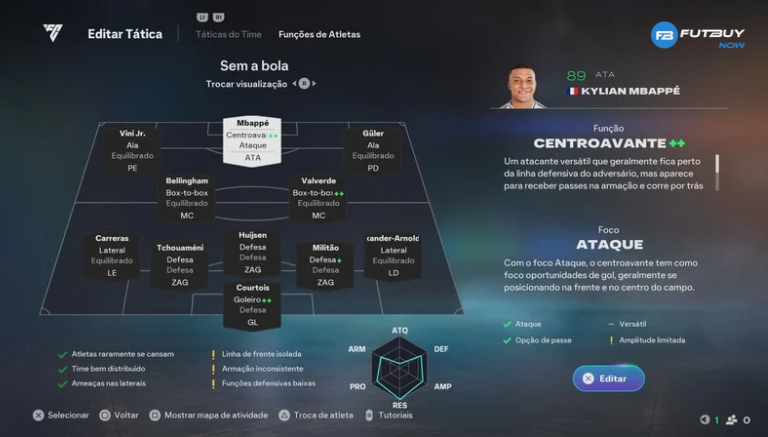
How to Improve Players in Ultimate Team with Functions?
To get the most out of it:
Adjust Function According to Attribute
Fast players → depth functions.
Strong players → hold position or pivot.
Vision midfielders → playmaking.Combine Function + Tactic
There's no point in asking for depth if the team plays with short attack. Coherence is essential.Test and Adjust
Each player responds differently. Adjust until you find the perfect function.
Conclusion
Ultimate Team Player Functions are one of the most powerful features of EA FC 26, as they define exactly how each player behaves on the pitch. When used correctly, they enhance offensive efficiency, strengthen defence, and correct AI flaws — all contributing to understanding how players perform better in Ultimate Team.
Understanding what player functions are, applying the right instructions for each position, and adjusting according to your strategy is the fastest way to improve players in Ultimate Team and elevate your overall performance in Ultimate Team mode.